AI moved fast in 2025. In 2026, it’s moving even faster.
Last year we shared our list of the best AI apps of 2025, and a lot has changed since then. Some tools got way better. Some new ones showed up out of nowhere and completely changed the game. And a few that were hyped up? They quietly faded away.
This is our updated, honest list of the best AI apps of 2026. We’ve tested these ourselves, and we’re only including tools that are genuinely useful, not just trendy. If you want to get more done in less time, there’s something here for you.
What We Look For in AI Apps
Before we jump into the list, here’s what makes an app worth recommending:
- Actually useful in daily life, not just a cool demo
- Easy to pick up, even if you’ve never used AI before
- Free tier available or at least a solid free trial
- Still actively updated and improving in 2026
If a tool doesn’t check most of these boxes, it didn’t make the cut.
Best Free AI Apps in 2026
ChatGPT (by OpenAI)
No surprise here. ChatGPT is still the most popular AI tool on the planet, and the 2026 version is significantly better than what we had last year. The free tier now includes GPT-4o, which means you get fast, smart responses without paying a dime.
What it’s great for:
- Writing emails, essays, cover letters, social media posts
- Brainstorming ideas and getting unstuck
- Summarizing long documents or articles
- Learning new topics through conversation
- Basic coding help
What’s new in 2026: Custom GPTs are easier to build and share. The memory feature actually works well now, so ChatGPT remembers your preferences across conversations. Voice mode has also improved a lot.
Price: Free (Plus plan available for power users)
Want to get more out of it? Check out our Advanced ChatGPT Tips.
Google Gemini
Google Gemini had a rocky start, but in 2026 it has become a serious contender. It’s deeply integrated into Gmail, Google Docs, Search, and Android devices, which gives it an edge that no other AI tool can match.
What it’s great for:
- Searching smarter with AI-generated summaries right in Google
- Drafting and editing emails in Gmail
- Analyzing images, videos, and documents (multimodal input)
- Voice-based interactions on Android phones
What’s new in 2026: Gemini 2.0 brought massive improvements to reasoning and context handling. The 1 million token context window means you can feed it entire books or codebases and it keeps up.
Price: Free on most Google products. Advanced features through Google One AI Premium.
We wrote a full breakdown here: Google Gemini AI: The Complete Guide.
Claude (by Anthropic)
Claude has quietly become the favorite AI tool for people who care about accuracy and thoughtful responses. Where ChatGPT sometimes rushes through answers, Claude tends to slow down and think things through.
What it’s great for:
- Long, detailed writing and analysis
- Reading and summarizing huge documents (up to 200K+ tokens)
- Coding, debugging, and explaining code
- Situations where you need careful, nuanced answers
What’s new in 2026: Claude’s latest models are faster and better at complex reasoning. The Projects feature lets you organize conversations by topic. Claude Code has also become a legit tool for developers.
Price: Free tier available. Pro plan for heavy use.
Read more in our Claude Code AI deep dive.
Perplexity AI
If you’ve ever wished Google Search would just give you a straight answer instead of 10 blue links, Perplexity is what you’re looking for. It’s an AI-powered search engine that gives you clear, sourced answers in seconds.
What it’s great for:
- Quick research without clicking through multiple websites
- Getting answers with cited sources (so you can verify)
- Staying up to date on current events
- Academic research and fact-checking
What’s new in 2026: Perplexity Pro now lets you choose which AI model powers your search (GPT-4, Claude, or their own model). The mobile app is also much better.
Price: Free. Pro plan for unlimited advanced searches.
Notion AI
Notion was already a great productivity app. With AI baked in, it’s become something else entirely. You can ask it to write, summarize, organize, and plan, all inside the workspace where you’re already doing your work.
What it’s great for:
- Summarizing meeting notes automatically
- Generating drafts for docs, wikis, and project plans
- Organizing messy notes into structured formats
- Answering questions about your own workspace content
Price: Free Notion plan available. AI features require a paid add-on.
Best AI Apps for Content Creators
Canva Magic Studio
Canva keeps getting smarter. The Magic Studio features turn it from a simple design tool into an AI-powered creative assistant.
What it does:
- Magic Design: Describe what you want and get a polished layout
- Magic Write: AI copywriting for social posts, ads, and presentations
- Magic Edit: Remove backgrounds, swap objects, or change colors with text prompts
- Text to Video: Turn a script into a short video with AI
Price: Free plan available. Canva Pro unlocks all Magic features.
Runway ML
If you do anything with video, Runway is incredible. It started as a tool for filmmakers and creators, but in 2026 it’s accessible enough for anyone to use.
What it does:
- Generate video clips from text prompts
- Remove or change video backgrounds in seconds
- Add motion to still images
- AI-powered video editing that saves hours of work
Price: Free trial, then paid plans.
ElevenLabs
Need realistic voiceovers for videos, podcasts, or presentations? ElevenLabs is the best AI voice generator available right now. The quality is honestly hard to tell apart from a real human voice.
What it does:
- Text-to-speech with natural-sounding voices
- Clone your own voice (with consent) for consistent content
- Support for 29+ languages
- Audio dubbing for videos
Price: Free tier with limited characters. Paid plans for more usage.
Best AI Apps for Work & Business
Fireflies.ai
If you’re in meetings all day, Fireflies is a lifesaver. It joins your calls, records everything, transcribes it, and even creates summaries with action items.
What it’s great for:
- Never taking manual meeting notes again
- Searching past conversations by keyword
- Sharing meeting highlights with your team
- Tracking action items automatically
Works with: Zoom, Google Meet, Microsoft Teams, and more.
Price: Free plan with limited storage. Paid plans for teams.
Zapier + AI
Zapier was already the king of workflow automation. Now with AI built in, you can describe what you want to automate in plain English and it builds the workflow for you.
What it does:
- Connect 5,000+ apps without coding
- Use AI to create automations from natural language
- Automate repetitive tasks like email follow-ups, data entry, and notifications
Price: Free plan available. Paid for more complex workflows.
Copy.ai
For marketing teams and solo entrepreneurs, Copy.ai generates email campaigns, product descriptions, landing page copy, and social media content that actually sounds good.
What it’s great for:
- Writing ad copy that converts
- Generating product descriptions at scale
- Email marketing sequences
- Social media content calendars
Price: Free plan available.
Best AI Apps for Learning & Productivity
GrammarlyGO
Grammarly has evolved way beyond spell-check. GrammarlyGO is a full AI writing assistant that helps you write clearer, adjust your tone, and even generate new content based on your style.
What it does:
- Real-time grammar, spelling, and tone suggestions
- Rewrite sentences for clarity or impact
- Generate text based on simple prompts
- Works everywhere: email, docs, browser, and mobile
Price: Free plan covers the basics. Premium for full AI features.
Otter.ai
Similar to Fireflies but more focused on personal use. Otter records and transcribes meetings, lectures, and interviews. It’s especially popular with students and journalists.
What it does:
- Live transcription during meetings or classes
- AI-generated summaries and key points
- Search through past transcriptions
- Share and collaborate on notes
Price: Free plan with 300 minutes/month.
Quick Comparison: Best AI Apps of 2026
| App | Best For | Free Plan? |
|---|---|---|
| ChatGPT | All-around AI assistant | Yes |
| Google Gemini | Google ecosystem users | Yes |
| Claude | Long documents, careful analysis | Yes |
| Perplexity AI | Research and search | Yes |
| Notion AI | Productivity and notes | Yes (AI is paid) |
| Canva Magic Studio | Design and visuals | Yes |
| Runway ML | Video creation and editing | Trial |
| ElevenLabs | Voice and audio | Yes |
| Fireflies.ai | Meeting notes | Yes |
| Zapier + AI | Workflow automation | Yes |
| Copy.ai | Marketing content | Yes |
| GrammarlyGO | Writing improvement | Yes |
| Otter.ai | Transcription | Yes |
What Changed From 2025 to 2026?
A few big shifts worth noting:
AI got multimodal. In 2025, most tools were text-only. Now almost every major AI app handles images, audio, and video alongside text. This is a huge deal for creators and businesses.
Voice interfaces are real now. Talking to AI used to feel awkward. In 2026, voice interactions with ChatGPT, Gemini, and others actually feel natural and useful.
AI is built into existing tools. Instead of jumping between apps, AI is now inside the tools you already use: Google Docs, Canva, Notion, Slack. This makes it way easier to adopt.
Free tiers are more generous. Competition between AI companies means better free plans for users. You can do a lot in 2026 without spending anything.
How to Pick the Right AI App for You
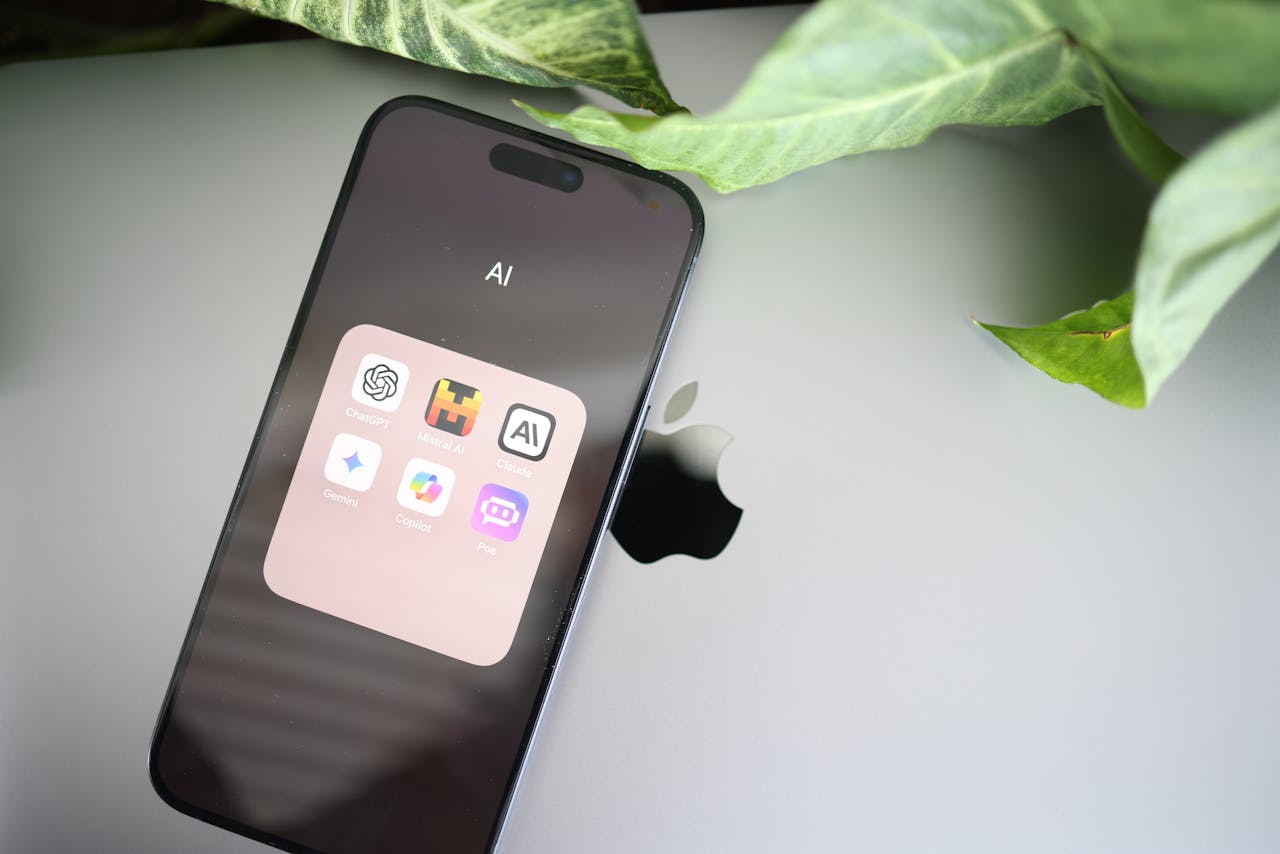
Don’t try to use all 13 apps at once. Here’s a simple approach:
- Pick one general-purpose AI (ChatGPT, Gemini, or Claude) and use it daily for a week
- Add one tool for your specific need (design? Try Canva. Meetings? Try Fireflies.)
- Give it 2 weeks before deciding if it’s useful for your workflow
- Only add more once the first tools feel natural
The goal isn’t to have the most tools. It’s to have the right tools that save you real time.
If you’re completely new to AI, start with our AI Tools for Beginners guide or learn what prompt engineering is to get better results from any tool you choose.
Final Thoughts
The best AI apps of 2026 are faster, smarter, and more accessible than ever. And the best part? Most of them are free to start using right now.
You don’t need to be a tech expert to benefit from these tools. Pick one, try it today, and see how it fits into your life. You might be surprised how much time it saves you.
We’ll keep updating this list as new tools launch throughout 2026. Bookmark this page and check back.
If you’re just getting started in tech, don’t miss our guide on how to start in tech or our newest post on what to do when you want to learn tech but don’t know where to start.